Firm OS & Practice Operations
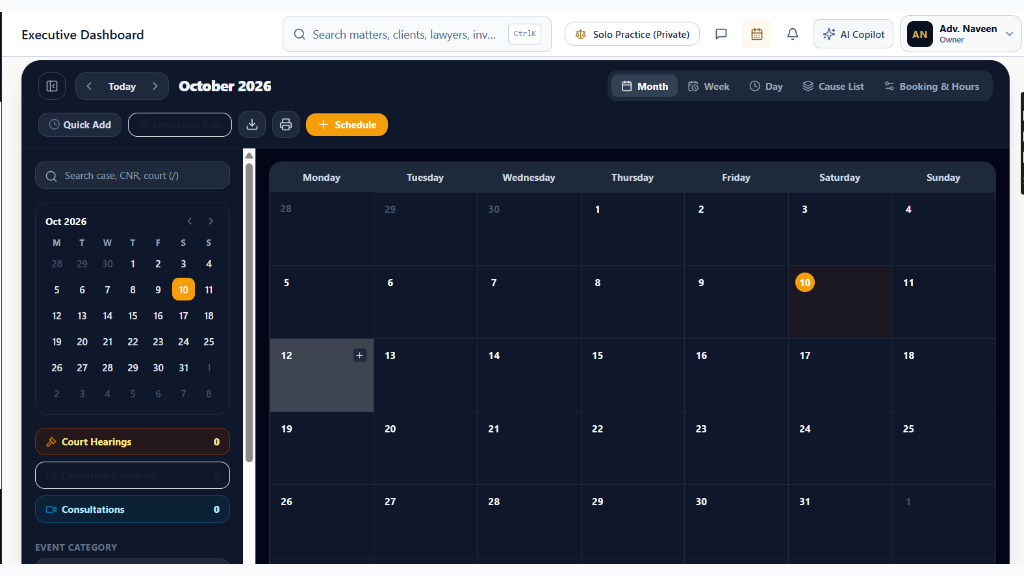
Firm Unified Court Calendar & Hearing Scheduler
Master consolidated hearing diary, judge listings, 3 calendar views (Daily Court Hall Grid, Weekly Listing Docket, Monthly Court Term Master), bench conflict radar, pass-over logging, and e-Courts cause list synchronization.
10 min read•Firm OS Enterprise•Updated October 2026
1.Consolidated Court Hearing Diary Overview
Select 'Unified Calendar' under the WORK sidebar group to access the firm-wide hearing master schedule.
Controls:Calendar View Switcher(Daily Grid / Weekly / Monthly)Court Complex Filter(Supreme Court, High Courts, NCLT, District)+ Add Court Event(Schedule hearing or conference)
- Why it is there: To synchronize every court appearance, arbitration hearing, and client conference into a single verified schedule.
- How it helps: Eliminates counsel double-booking before different benches, tracks virtual video hearing links, and synchronizes daily 16-digit CNR cause lists.
- Top Controls: Switch between 'Daily Court Hall Grid', 'Weekly Listing Docket', and 'Monthly Term Master'.
Chamber Authentication Required
Step 1 is shown above as a preview. All remaining procedural steps, litigation blueprints, and interactive controls require an active chamber or firm login.
Frequently Asked Questions
- How do cause lists synchronize with official court registries?
- Briefly's court crawler synchronizes with official e-Courts and High Court CIS systems daily at 6:00 PM and 7:00 AM, matching CNR numbers and advocate enrollment codes automatically.
Was this guide helpful?
Your feedback directly shapes our support documentation.