Firm OS & Practice Operations
Firm Workload & Task Delegation Management
Cross-practice team capacity balancing, junior associate task delegation, litigation workflow templates, 3 specialized views (Kanban Board, Team Capacity Heatmap, Limitation Deadline Table), and court deadline escalation tracking.
10 min read•Firm OS Enterprise•Updated October 2026
1.Cross-Team Workload Overview & Master Task Dispatcher
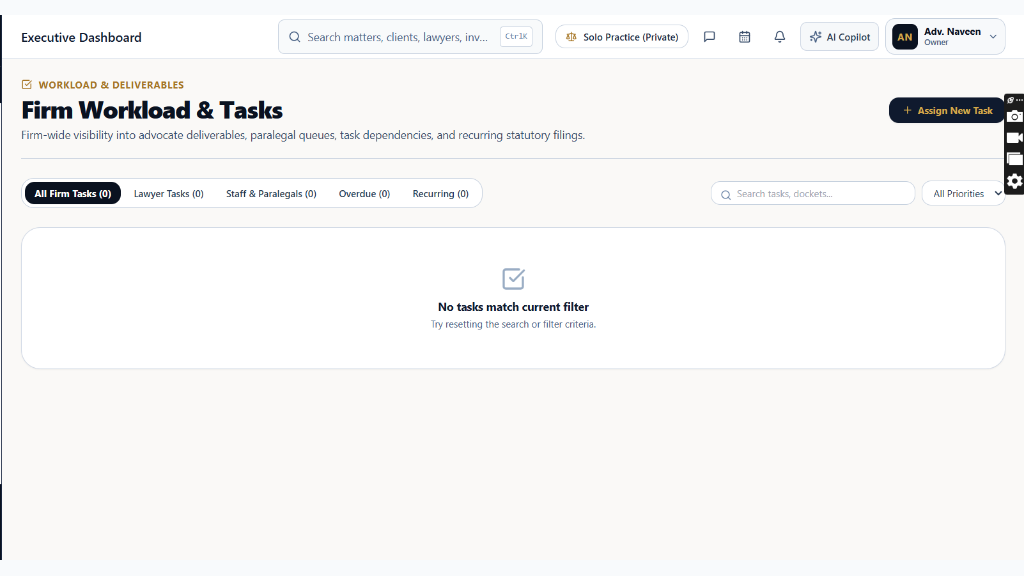
Open 'Workload & Tasks' from the WORK sidebar section to monitor active delegation across all practice teams.
Controls:Workload View Switcher(Kanban / Heatmap / Table)+ Add Delegated Task(Assign new drafting or court task)Associate Filter(Filter by fee-earner)
- Why it is there: To eliminate unmonitored assignments, prevent associate burnout, and ensure equitable distribution of courtroom appearances and drafting briefs.
- How it helps: Gives practice heads real-time visibility into open drafting tasks, pending partner reviews, and approaching limitation deadlines.
- View Switcher: Switch between Kanban Workflow Board, Team Capacity Heatmap, and Limitation Deadline Table.
Chamber Authentication Required
Step 1 is shown above as a preview. All remaining procedural steps, litigation blueprints, and interactive controls require an active chamber or firm login.
Frequently Asked Questions
- Can associates reassign tasks to other team members without partner sign-off?
- Only Senior Associates and Partners have task re-delegation authority under the firm's standard workflow RBAC.
Was this guide helpful?
Your feedback directly shapes our support documentation.