Firm OS & Practice Operations
Law Firm (Firm OS) Registration & Partner Account Setup
Step-by-step administrative manual for Managing Partners and Law Firm Administrators establishing a sovereign Firm OS workspace, entity identity, practice matrix, and team invites.
8 min read•Firm OS Enterprise•Updated October 2026
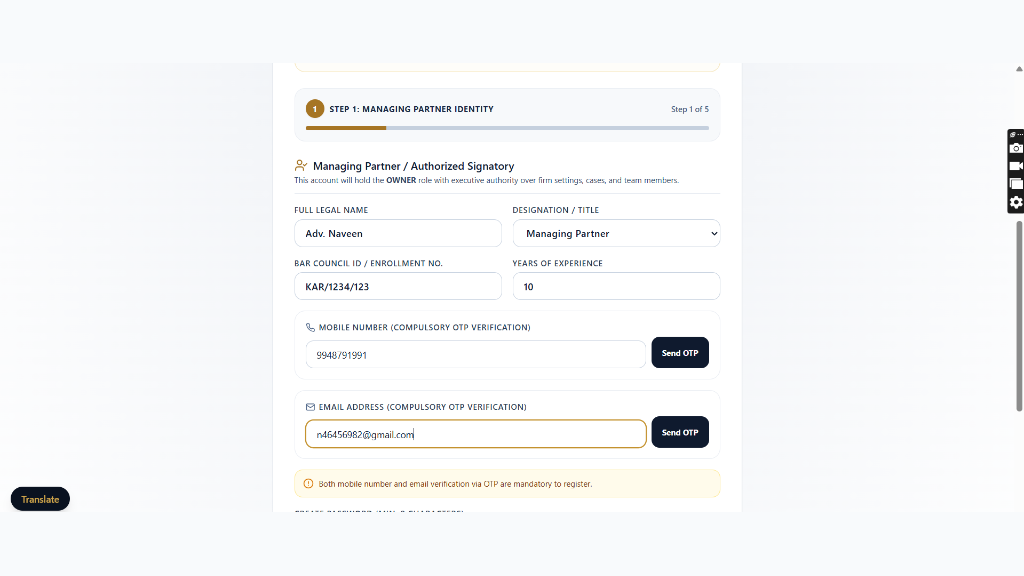
1.Enter Managing Partner Identity & Verification
Navigate to /onboarding and select 'Law Firm'. Enter Managing Partner details.
Controls:Managing Partner Name InputVerify OTP Button
- Enter Managing Partner Name, Bar Council Enrolment ID, and official Corporate Email.
- Verify dual SMS + Email OTP security.
2.Specify Firm Entity Identity & Legal Structure
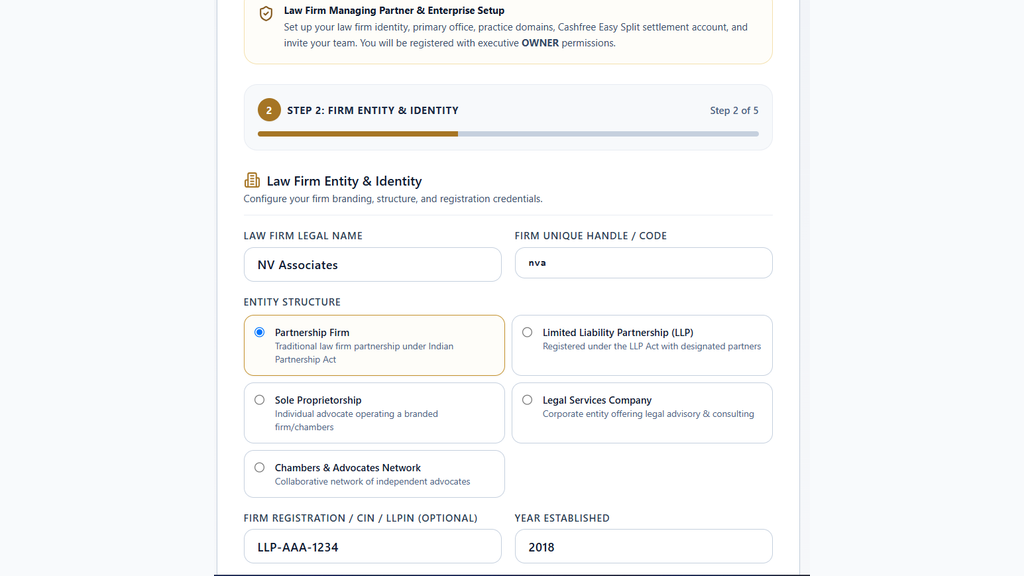
Enter registered legal entity name, corporate structure (Partnership / LLP / Pvt Ltd), and founding year.
Controls:Firm Legal NameCorporate Structure Selector
- Input Entity Registered Legal Name as filed with MCA / Registrar of Firms.
- Specify number of partners and total practicing associates.
3.Configure Specialized Practice Area Matrix
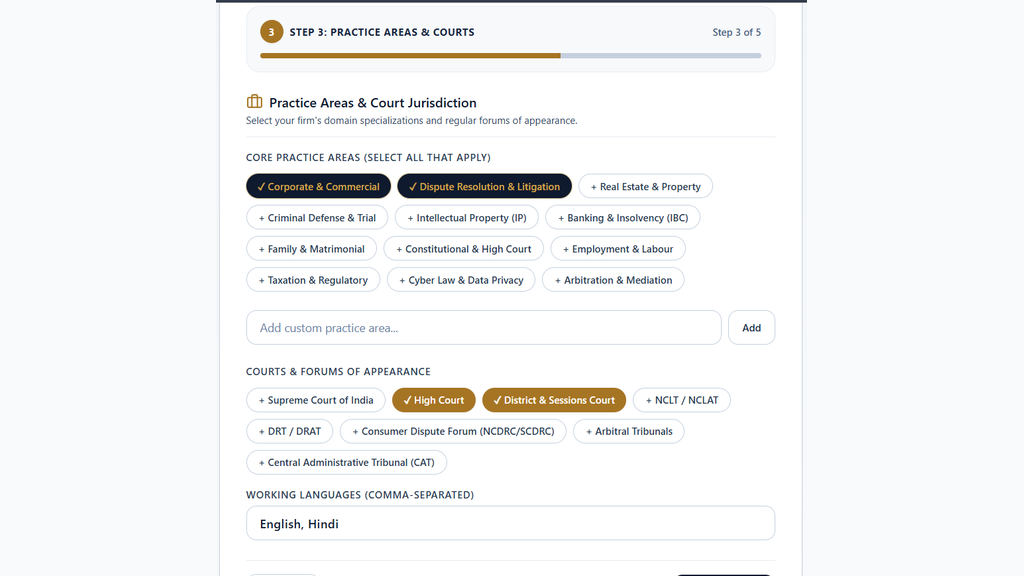
Select primary and secondary practice areas from the practice matrix.
Controls:Practice Matrix Checkboxes
- Select Litigation, Corporate, Intellectual Property, Real Estate, Banking & Finance, Tax.
- Configures default case taxonomies and drafting template collections.
4.Set Principal Office Address & Multi-State GSTIN
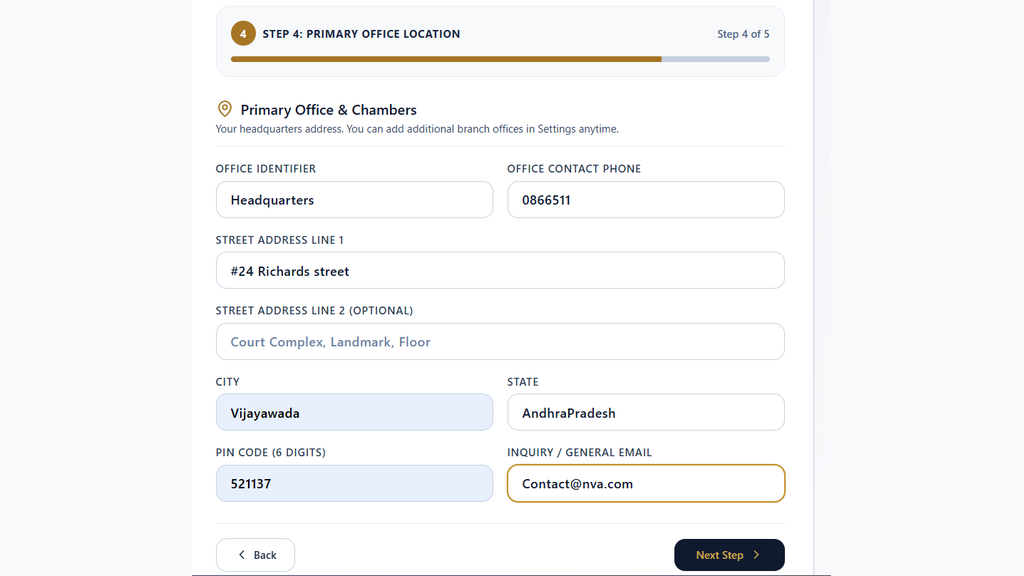
Enter corporate office address and state-specific GSTIN.
Controls:Head Office Address InputGSTIN Input
- Provide Head Office chamber address and primary court complex mapping.
- Enter 15-digit GSTIN for automated B2B invoice generation.
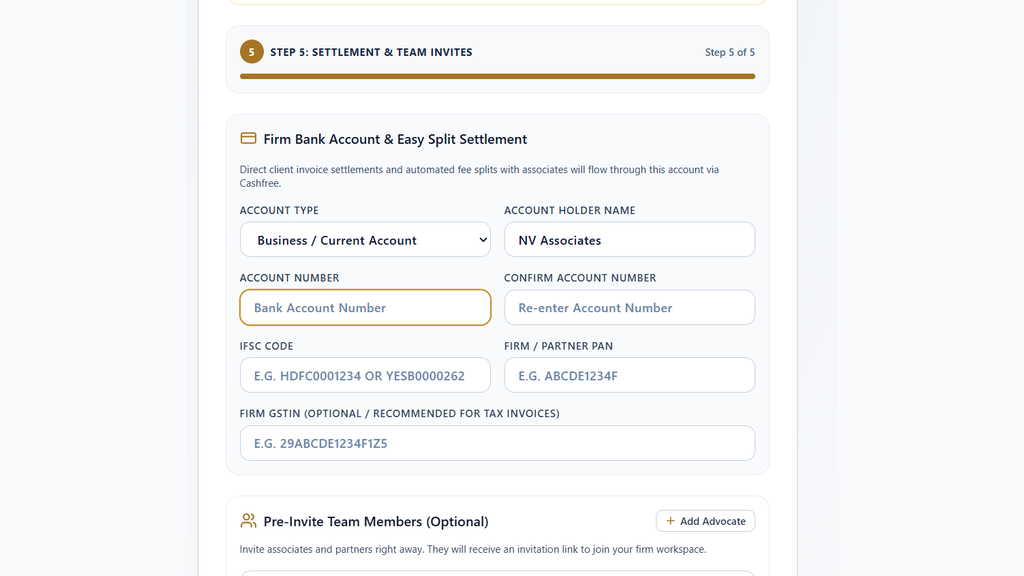
5.Configure Escrow Settlement Bank & Partner Invites
Connect Cashfree nodal bank account and send initial partner invitation tokens.
Controls:Bank Account NumberVerify Bank AccountSend Invitations
- Enter Current Account Number, IFSC code, and execute instant penny-drop verification.
- Invite initial equity partners and associates via cryptographic email tokens.
Ready to put this workflow into practice?
Sign in to your chamber account to manage matters, CNR cause lists, client communications, and billing.
Frequently Asked Questions
- Can associates maintain their private solo practice while affiliated with a firm?
- Yes. Briefly's Dual-Scope architecture allows advocates to switch between 'Solo Practice' and 'Firm Workspace' via the bottom-left sidebar toggle without data cross-contamination.
- How long does firm entity approval take?
- Firm corporate entity verification is processed by compliance specialists within 4 to 24 hours. Provisional workspace access is enabled immediately upon submission.
Was this guide helpful?
Your feedback directly shapes our support documentation.