Firm OS & Practice Operations
Firm Entity Incorporation, GSTIN Verification & BCI Compliance
Statutory entity KYC verification: uploading Certificate of Incorporation, LLP Agreement, GSTIN certificate, cancelled cheque, and tracking compliance approval.
8 min read•Firm OS Enterprise•Updated October 2026
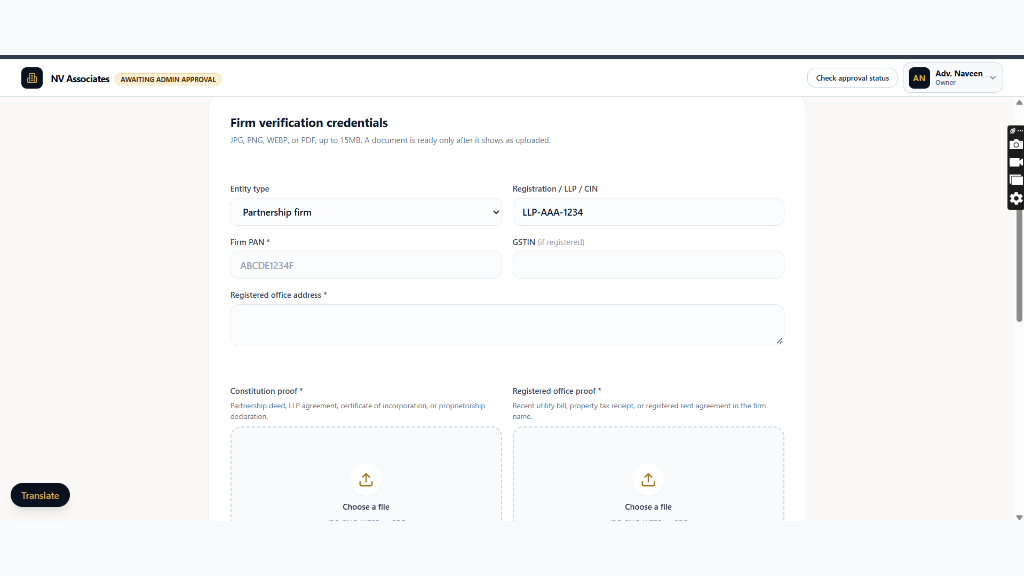
1.Submit Firm Corporate Credentials & ID Proofs
Navigate to /firm/settings?tab=kyc and fill in corporate registration numbers.
Controls:CIN / LLP Registration InputFirm PAN Input
- Input MCA Corporate Identification Number (CIN) or LLP Registration Number.
- Enter Firm Permanent Account Number (PAN) and registered GSTIN.
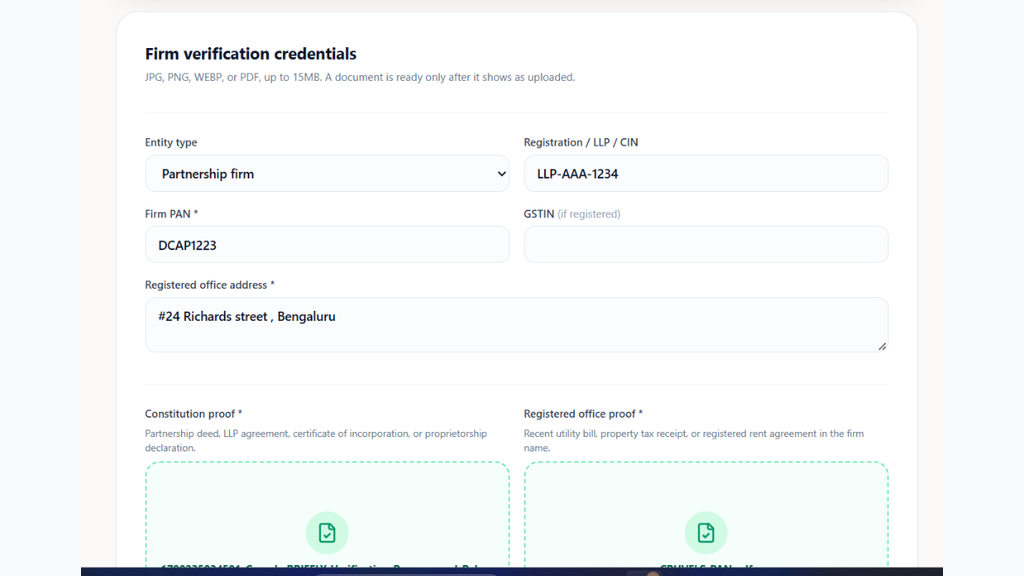
2.Upload Certificate of Incorporation & Partnership Deed
Attach PDF scans of statutory incorporation documents and Bar Council Sanad.
Controls:Upload Incorporation CertificateUpload Bar Sanad
- Upload Certificate of Incorporation (MCA) or Registered Partnership Deed.
- Upload Managing Partner State Bar Council Certificate and Board Resolution.
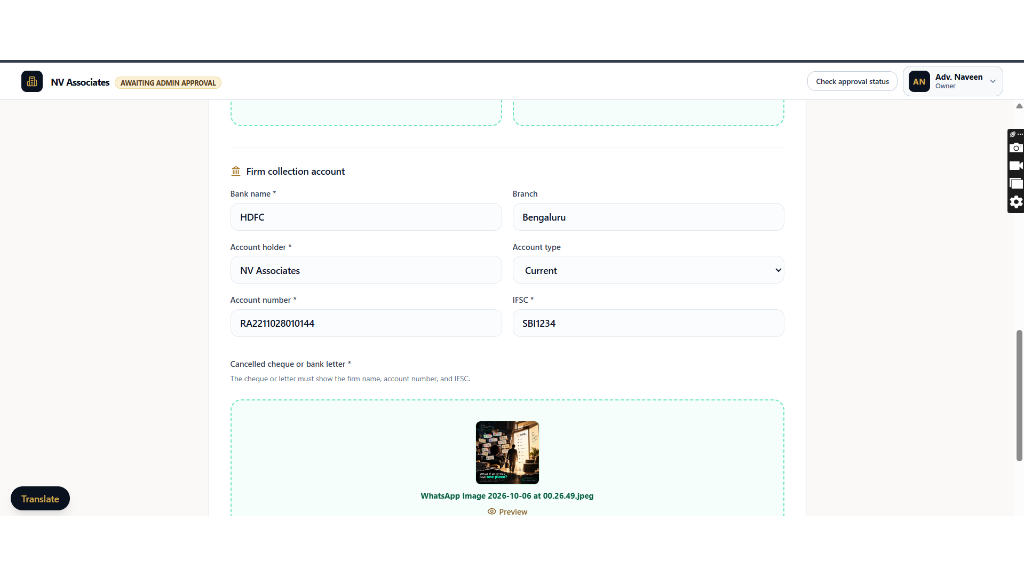
3.Connect Nodal Bank Account & Upload Cancelled Cheque
Submit firm bank account details for Cashfree Easy Split settlement payouts.
Controls:Bank Account Number InputUpload Cancelled Cheque
- Upload front scan of Cancelled Cheque / Bank Statement with matching entity name.
- Verify automated penny-drop confirmation.
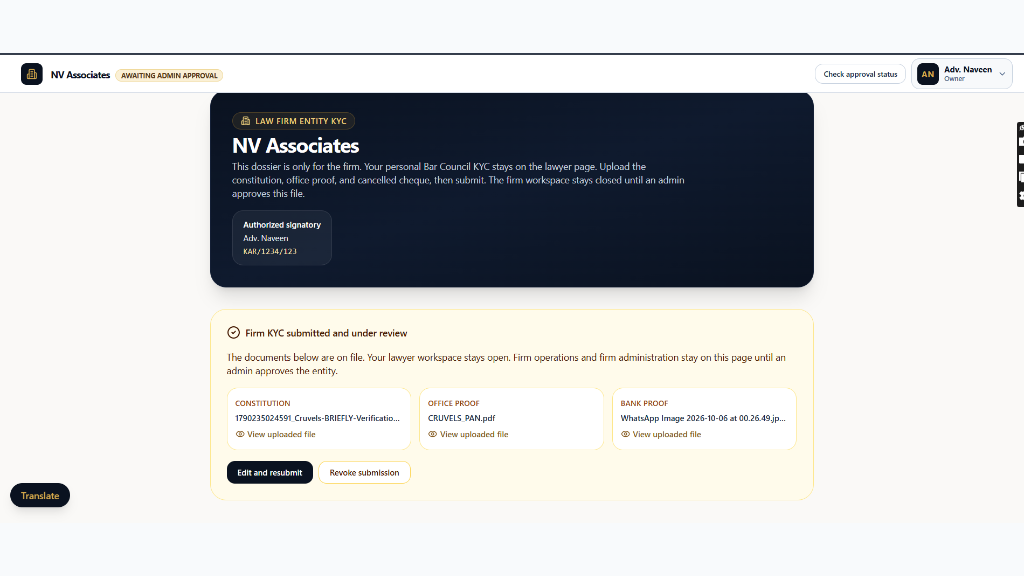
4.Track Compliance Review Status
Review submitted dossier status while legal operations specialists perform statutory checks.
Controls:Compliance Status Badge
- Dossier status displays 'Under Compliance Review'.
- Verification is completed within 4 to 24 hours with full workspace privileges active.
Ready to put this workflow into practice?
Sign in to your chamber account to manage matters, CNR cause lists, client communications, and billing.
Frequently Asked Questions
- Is individual lawyer Bar Council KYC separate from Firm KYC?
- Yes. Individual advocate Bar Council verification is maintained on the lawyer profile. The Firm KYC dossier verifies the business entity's corporate structure, office lease, and current bank account.
- What happens if a document upload is rejected?
- If any document is illegible or has name discrepancies, the compliance team will flag the specific file with rejection notes so the Managing Partner can re-upload without starting over.
Was this guide helpful?
Your feedback directly shapes our support documentation.